Where to Download the Mobile Version and What You're Actually Getting
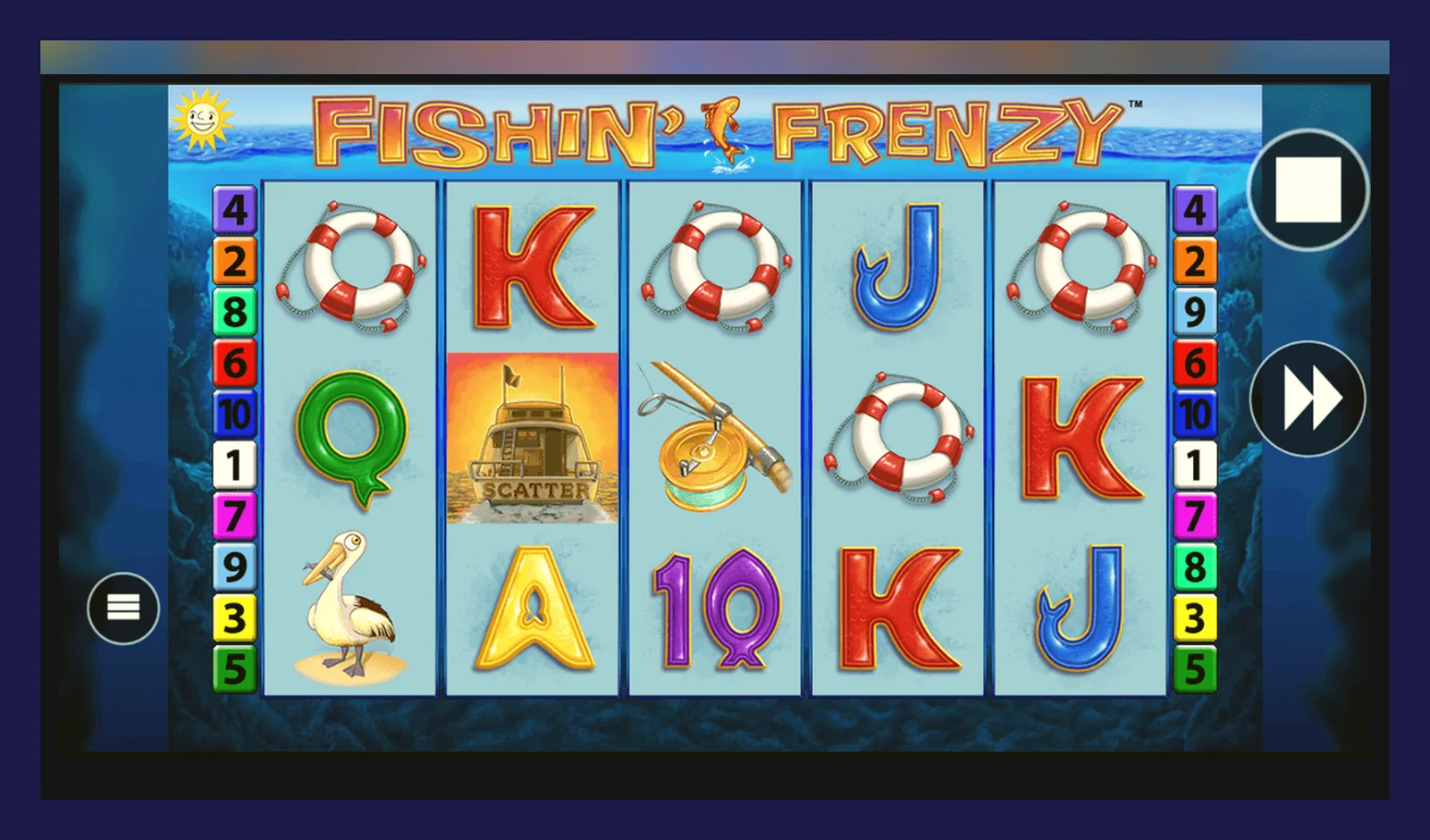
96.00% RTP sounds identical across devices, but the route to your phone changes everything. Unlike crash games that ship standalone apps through Google Play, Fishin' Frenzy lives inside licensed casino platforms—some offering native apps, others relying on browser wrappers, and a risky few distributed as sideloaded APKs.
The legal path in the UK means checking the UKGC register, verifying the operator's licence number in the footer, and accepting that every install comes with identity checks before you deposit. The unsafe path—third-party APKs promising «no verification» or «unlimited stakes»—bypasses the £5 spin cap, the GAMSTOP exclusion list, and every player protection the regulator mandates. Here's what each route actually delivers.
The Store Listing That Doesn't Exist (and What Replaces It)
Search «Fishin' Frenzy» in the App Store or Google Play and you'll find casino operator apps—Sky Vegas, Gala Spins, Paddy Power—not a standalone game. Blueprint Gaming licenses the slot to dozens of UKGC-approved sites; none publish a dedicated Fishin' Frenzy app. What you're downloading is a wrapper that houses hundreds of slots, with Fishin' Frenzy accessible through the lobby filter.
The numbers above reflect a typical UKGC operator app. Individual casinos vary: some cap first deposits at £50.00 during the affordability-check stage (the £150.00 net monthly threshold triggers credit-reference checks), others offer higher limits after KYC. The game itself remains identical—same reels, same RTP—but bonus structures, withdrawal speeds (Faster Payments typically clear in 1–2 working days), and stake caps for 18–24-year-olds (£2.00 instead of £5.00) differ by site.
Five Screens You'll Actually Use
Most mobile slots compress the desktop layout into a vertical stack. Fishin' Frenzy keeps the cartoon fisherman and tackle-box aesthetic but shifts controls to the bottom edge:
- Lobby filter: search bar and category tags (Megaways, Jackpots, New) with Fishin' Frenzy usually filed under «Blueprint» or «Top Slots». Thumbnail shows the sunset harbour backdrop and «Free Spins» callout.
- Game load screen: 2–4 seconds showing the Blueprint logo, operator branding, and a progress bar. RTP, max win (£250,000.00 at £5.00 stakes), and volatility (medium-high) appear in the info button—top-right corner, «i» icon.
- Main reel view: 5×3 grid fills 60% of the screen, with the stake selector (−/+ buttons, current bet, and spin button) anchored below. Autoplay and turbo-speed toggles sit to the left; balance and win counters run along the top bar.
- Paytable overlay: swipe up or tap the menu icon to reveal symbol values (fisherman pays 50× for five-of-a-kind), feature rules (three scattered tackle boxes trigger ten free spins with all fish prizes collected), and RTP breakdown. Scroll-heavy—seven pages on average.
- Deposit prompt: triggered when your balance dips below the minimum stake (£0.10). Lists payment methods (debit card, PayPal, Apple Pay, Trustly), reminds you that credit cards have been banned since 2020, and displays GAMSTOP and BeGambleAware logos at the footer.
Browser play on mobile mirrors these screens but loads within Safari or Chrome instead of a dedicated app shell. Performance depends on your connection—2 MB per hour suits 4G, but patchy signal causes spin delays. Native apps cache assets locally, cutting lag and data usage.
Four Install Paths, Four Risk Profiles
Every legal route starts with a UKGC-licensed operator. The mechanics—and the vulnerabilities—diverge from there.
| Method | Steps | Risk | Speed | |
|---|---|---|---|---|
| Browser (Safari/Chrome) | 1. Visit operator site 2. Log in or register 3. Search «Fishin' Frenzy» 4. Tap Play | Low – no install, instant updates, works on any device. Requires stable connection. | < 1 min | → |
| Add to Home Screen (iOS/Android) | 1. Open site in browser 2. Tap Share (iOS) or Menu (Android) 3. Select «Add to Home Screen» 4. Confirm icon name | Low – just a bookmark disguised as an app. Launches the site in full-screen. No permissions requested. | < 2 min | → |
| Official Casino App (App Store/Play) | 1. Search operator name (e.g. «Sky Vegas») 2. Download and install 3. Open, register, verify age 4. Find Fishin' Frenzy in lobby | Low – vetted by Apple/Google, UKGC-compliant, automatic updates. KYC delays first deposit by 24–48 hours. | 3–5 min + verification wait | → |
| APK Sideload (third-party) | 1. Enable «Unknown sources» in Settings 2. Download .apk from unverified site 3. Install manually 4. Grant permissions | High – bypasses Play Store security, may inject malware, clones often fake RTP or rig outcomes. No UKGC protection. | 5–10 min (+ ongoing security risk) | → |
What Your Phone Needs (and What the App Actually Does)
Blueprint's HTML5 build scales from budget Androids to flagship iPhones, but performance splits along three lines:
- Minimum: iOS 12 or Android 7, 2 GB RAM, 100 MB free storage. Reels animate smoothly, but bonus rounds (particularly the free-spins fish collection) can stutter on three-year-old hardware.
- Recommended: iOS 15 or Android 10, 4 GB RAM, 200 MB free space. Eliminates lag, supports landscape orientation, and handles background notifications (deposit confirmations, bonus expiry warnings) without killing the session.
- Optimal: iOS 17 or Android 13, 6 GB RAM, steady 4G/5G. Instant loads, seamless transitions between lobby and game, and enough headroom to run Spotify or a browser tab alongside without memory warnings.
The app itself—whether native or web wrapper—executes four core functions: account management (balance, transaction history, deposit/withdrawal requests), game access (launching slots, filtering by provider or feature), notifications (bonus alerts, KYC reminders, responsible-gambling prompts after long sessions), and compliance checks (geolocation to confirm you're in the UK, session timers, and loss-limit triggers). It does not store your card details locally—the Payment Services Directive mandates that the operator's server handles tokenised transactions—and it cannot override the £5.00 stake cap or disable GAMSTOP blocks, no matter what settings you toggle.
Battery drain sits around 8–12% per hour of active play, comparable to streaming video. Mobile data usage peaks during the initial game load (40–60 MB as assets cache), then drops to 1–2 MB per hour for spin data and balance updates. If you're tethering or on a capped plan, switching to Wi-Fi before launching Fishin' Frenzy saves roughly 150 MB over a typical session.
Version History (What Changed in October 2026)
Blueprint pushed version 1.8.2 in mid-October, addressing a landscape-mode glitch where the paytable overlay clipped the bottom row of symbol values on ultra-wide Android screens. The update also refined the autoplay UI—adding a visible «spins remaining» counter that previously only appeared in settings—and tweaked the scatter animation timing so the tackle-box reveal syncs with the sound effect on devices running at 120 Hz refresh rates.
Functionally, nothing shifted: RTP stayed at 96.00%, the free-spins feature triggers at the same 1-in-180 frequency (medium-high volatility unchanged), and max exposure remains £250,000.00 at the £5.00 cap. The changes were cosmetic and technical—quality-of-life fixes rather than mechanical overhauls.
Operators roll out Blueprint's updates on different schedules. Larger brands (William Hill, Betfair) typically integrate new versions within a week; smaller UKGC licensees may lag two to four weeks. If your app's «About» screen shows version 1.7.x, you're running the August build—stable, but missing the autoplay counter and landscape fix.
How to Spot a Fake (and Which Permissions Scream Danger)
Clone apps surface in two places: shady APK repositories (often ranking high in search for «Fishin' Frenzy APK download») and fake App Store listings using near-identical names («Fishin Frenzy Pro», «Fishin' Frenzy Deluxe»). Both exploit the game's popularity; one steals your deposit, the other harvests device data or injects ads over the real gameplay.
Legitimate Fishin' Frenzy access—whether through a casino app or browser—requires exactly three permissions on Android: network access (to connect to the operator's server), storage (to cache game assets), and location (to confirm you're in the UK, as the UKGC mandates geolocation for remote gambling). iOS equivalents are similar but grouped under «background activity» and «location services».
Red flags that mark a clone or compromised APK:
- SMS or call permissions – no slot needs to read your texts or make phone calls. This access enables subscription scams or two-factor authentication bypasses.
- Camera or microphone – Blueprint's game has no AR features, no video chat, no reason to access your camera. Clones use this to scrape photos or record audio in the background.
- Contacts or calendar – legitimate casino apps never touch your address book. This permission feeds data-harvesting operations or spam networks.
- Device admin rights – a few rogue APKs request admin access, making them nearly impossible to uninstall without factory-resetting your phone.
- «Install unknown apps» – if the APK prompts you to enable sideloading for *other* apps during installation, it's attempting to daisy-chain malware.
Cross-reference the developer name in the store listing with the operator's UKGC licence. If the app claims to be from «Blueprint Gaming Direct» or lists a developer you can't find in the Gambling Commission's public register, it's unofficial. The real game only appears within licensed casino apps—never as a standalone title.
Why Most Players Stick With the Browser
Native apps offer faster load times and offline asset caching, but they lock you into one operator. If you chase welcome offers (common: 50 free spins on Fishin' Frenzy, 35× wagering, £100.00 max withdrawal) or compare withdrawal speeds (Faster Payments clear in hours at some sites, two working days at others), juggling multiple apps eats storage and scatters your transaction history.
Browser play—whether in Safari, Chrome, or the «add to home screen» shortcut—gives you one login per site without app bloat. You lose the notification badges (bonus expiry alerts, deposit confirmations) and gain an extra second of load time per session, but the flexibility suits players who split £50.00 deposits across three casinos to test which processes KYC fastest (24 hours is typical; 48 hours when they request a utility bill and passport scan).
The trade-off narrows if you stick to one UKGC operator long-term. A dedicated app then becomes convenient rather than redundant—particularly if you enable biometric login (Face ID, fingerprint) to skip password entry. Just remember that uninstalling the app doesn't close your account or stop GAMSTOP blocks; those live on the operator's server and follow you across devices.
FAQ
Can I download Fishin' Frenzy directly from Blueprint Gaming's website?
No. Blueprint licenses the slot to UKGC-approved casino operators; there's no standalone Blueprint app or direct download. You access the game through a licensed site's platform—either in-browser or via their casino app. Always check the operator's licence number against the Gambling Commission's public register before depositing.
Why does the app ask for my location when I open it?
UK law requires operators to verify you're physically in the country before letting you play for real money. The UKGC mandates geolocation for remote gambling—the app checks your GPS or IP against the licensed territory. If you're abroad or using a VPN, the game blocks access. This isn't a privacy overreach; it's regulatory compliance.
Is an APK from a third-party site safe if it has good reviews?
No. Clone APKs bypass Play Store security checks, fake reviews are trivial to generate, and sideloaded files can inject malware or rig the RTP below 96.00%. Worse, unlicensed sites offering APK downloads operate outside UKGC jurisdiction—your deposits have no regulatory protection, and GAMSTOP exclusions don't apply. Stick to official casino apps or browser play.
How much data does Fishin' Frenzy use if I play on 4G during my commute?
Initial load: 40–60 MB as the game caches assets (reels, symbols, animations). After that, roughly 1–2 MB per hour for spin data, balance updates, and server communication. A 30-minute session uses less data than streaming a single YouTube video at 480p. Switch to Wi-Fi before launching to avoid the upfront cache hit.
Will the app work on my three-year-old Samsung Galaxy A12?
Likely, but with minor lag during bonus rounds. The A12 runs Android 10 with 3 GB RAM—above the minimum (Android 7, 2 GB) but below the recommended spec (Android 10, 4 GB). Base-game spins stay smooth; the free-spins fish collection may stutter slightly. If performance bothers you, try browser play instead—it's lighter on older hardware.
Can I use the app to play Fishin' Frenzy for free without depositing?
Some UKGC operators offer demo mode within their apps, but many restrict free play to logged-in, age-verified accounts—meaning you'll complete KYC (passport or driving licence scan, proof of address) even if you never deposit. Browser access to demo versions is more common. Check the operator's site: if they list «Play for Fun», you can test the game without committing £5.00.